
AcuSaif camera setup
The camera mounts on the back of your fall-protection harness, just above the D-ring, with the lens aiming down. Watch the video or follow the photo steps.
Jump to: Standard harness · Padded harness · Safety notice
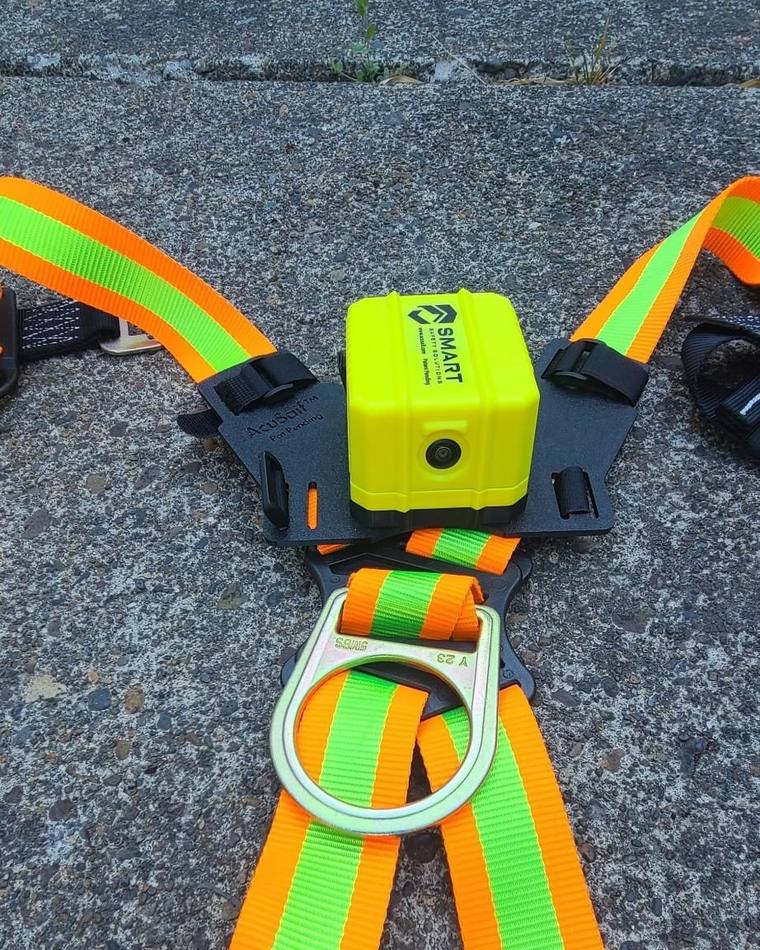
Harness with webbing straps only. Padded back panel? Skip to padded harness steps.
Lay the harness on a flat surface with the rear D-ring facing downward. Center the mounting plate between the shoulder straps, directly above the D-ring, with the camera lens aiming down.
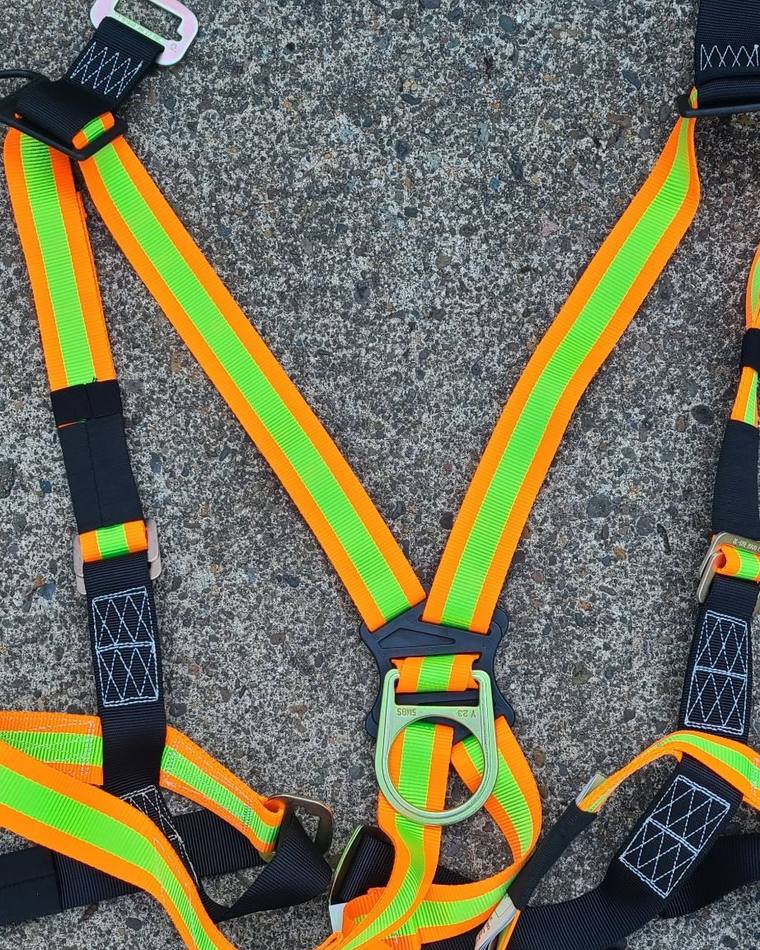
Wrap the lower Velcro strap around the center webbing directly above the D-ring. Pull it snug and fasten the Velcro. The strap should sit immediately above the D-ring attachment, between the rear webbing junction.
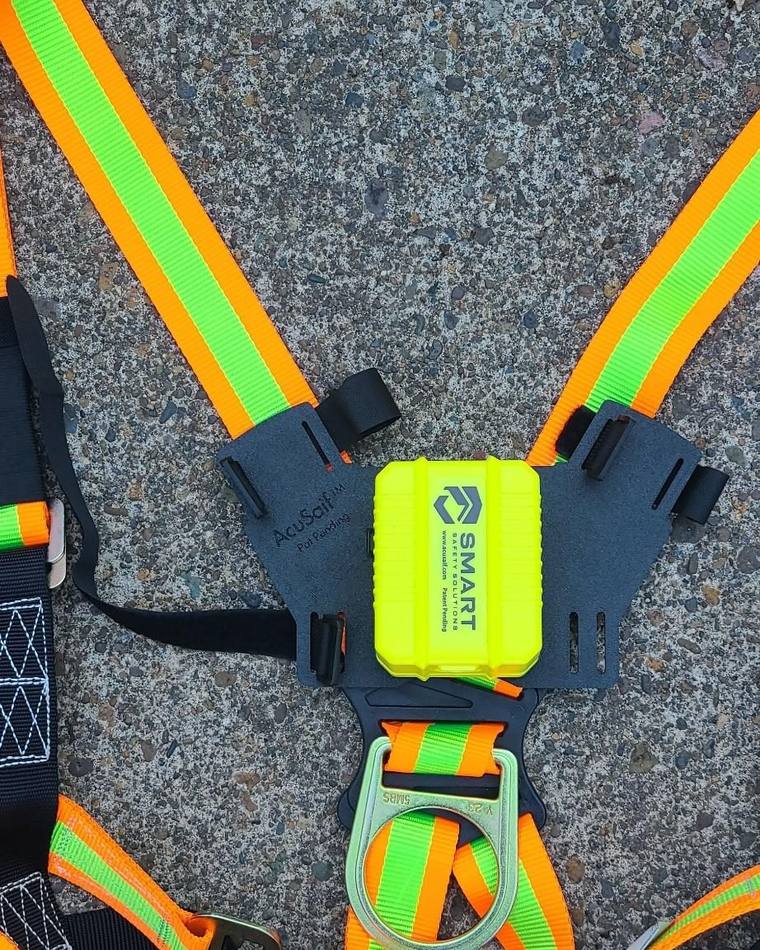
Wrap each shoulder Velcro strap around the corresponding shoulder webbing. Feed the strap through the mounting plate slot, pull it snug, and fully engage the Velcro.
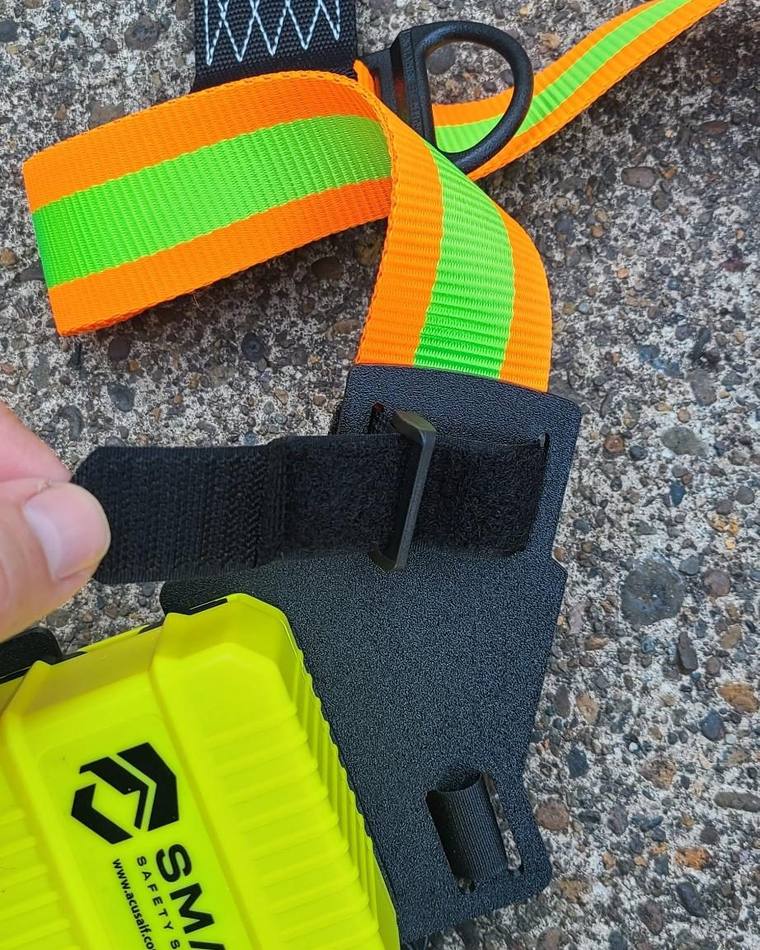
Confirm the mount is centered, positioned directly above the D-ring, and does not interfere with harness operation.
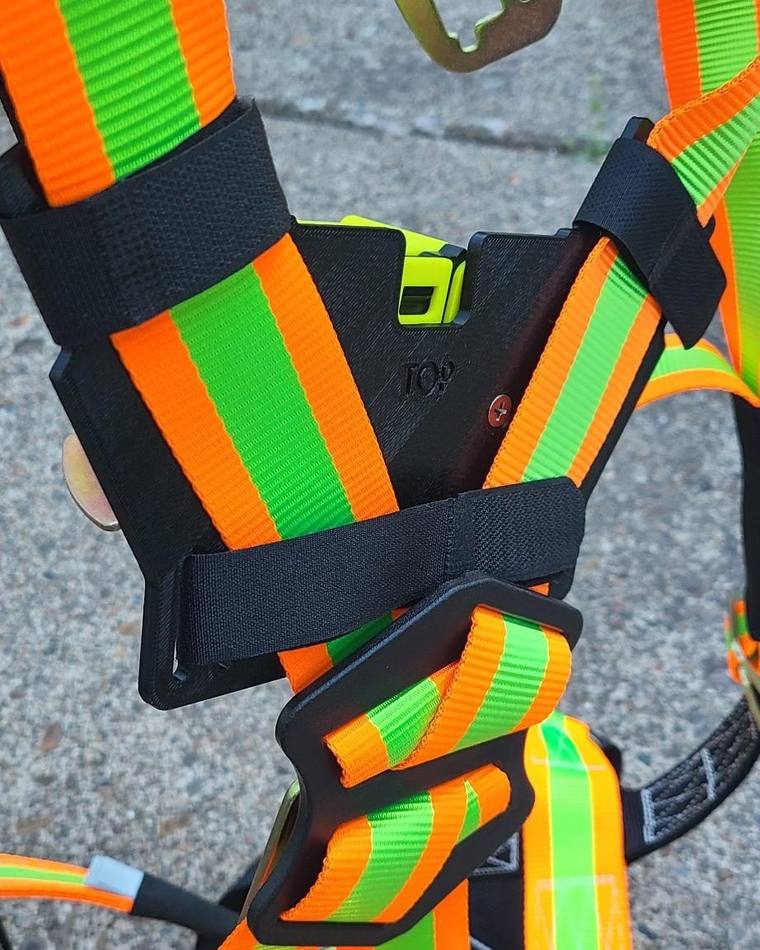
Harness with a padded back panel.
Lay the harness on a flat surface. Position the camera mount directly above the D-ring, centered between the shoulder straps. The lower edge of the mounting plate should rest just above the D-ring assembly.
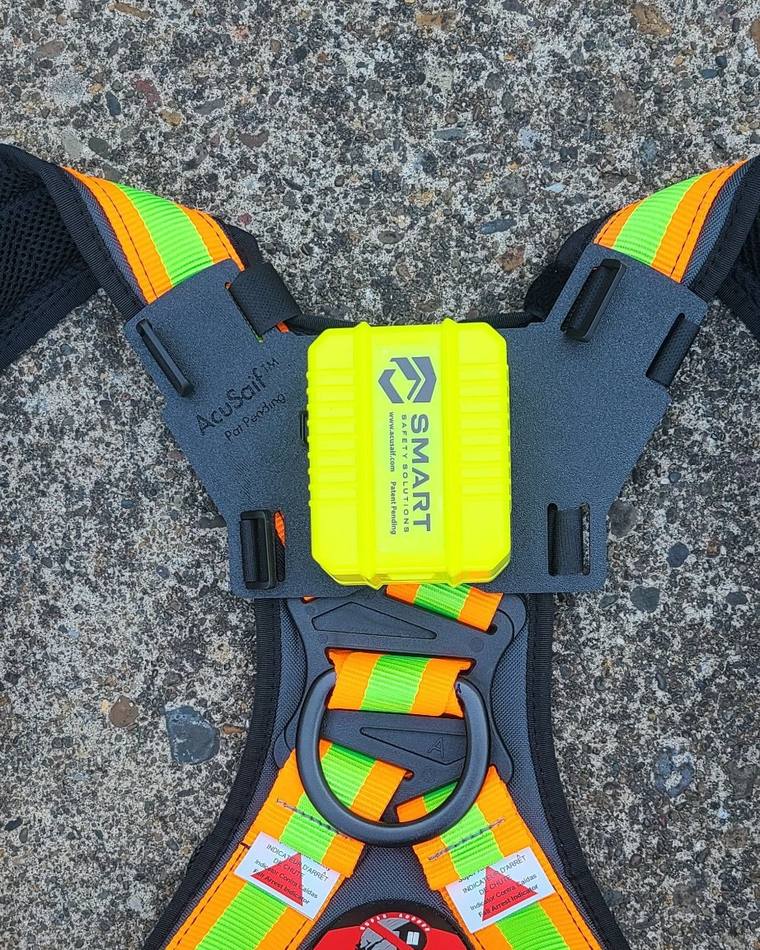
Wrap the left and right Velcro straps around the shoulder webbing above the padded back panel. Pull each strap snug and fully engage the Velcro.
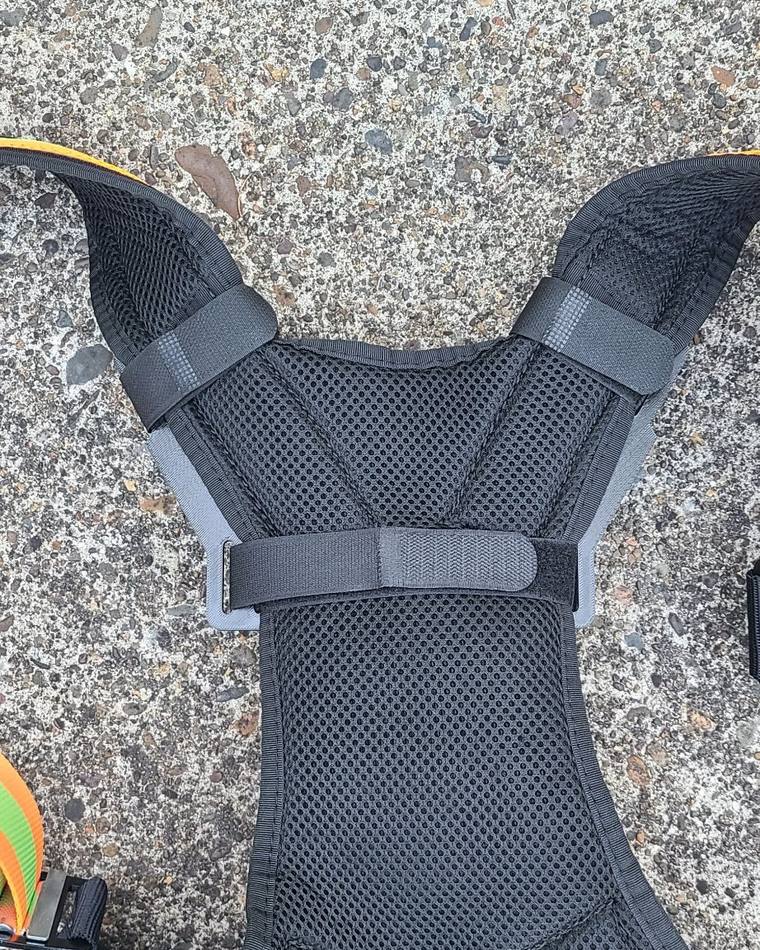
Wrap the center retention strap around the padded back panel. Pull it snug and fasten the Velcro. The strap should hold the mounting plate firmly against the harness and prevent movement during use.
WARNING: The AcuSaif™ Camera System adds equipment to the rear of your fall protection harness. Inspect the harness, camera mount, camera, and all associated components before each use.
The AcuSaif™ Camera System is an accessory only and is not a fall protection device. It does not replace, modify, certify, or increase the rated capacity of any harness or fall protection equipment. Always follow the harness manufacturer’s instructions and all applicable safety requirements.
For purposes of this notice, the term “Device” refers to the complete assembled AcuSaif™ Camera System, including the camera mount, camera, batteries, straps, wiring, accessories, and any attached components.
Before use, verify that the Device:
Exercise caution when working in confined spaces or areas where the Device could come into contact with structures, equipment, overhead obstructions, or other hazards.
Immediately discontinue use if any part of the Device becomes loose, damaged, cracked, excessively worn, malfunctioning, or interferes with the safe operation of the harness.
You are responsible for determining whether the Device is appropriate for the specific work environment and for ensuring continued compliance with all applicable safety requirements, employer policies, manufacturer instructions, and fall protection regulations.
Admins and crew leads can review everything in the AcuSaif portal.
Log in to the portalStuck? Email sales@acusaif.com and a human will help you out.